Family Shared Calendar Todo
(家族共有カレンダー Todo)
~ 学習スケジュール管理アプリ ~

使い方
【 3ステップ簡単入力 】
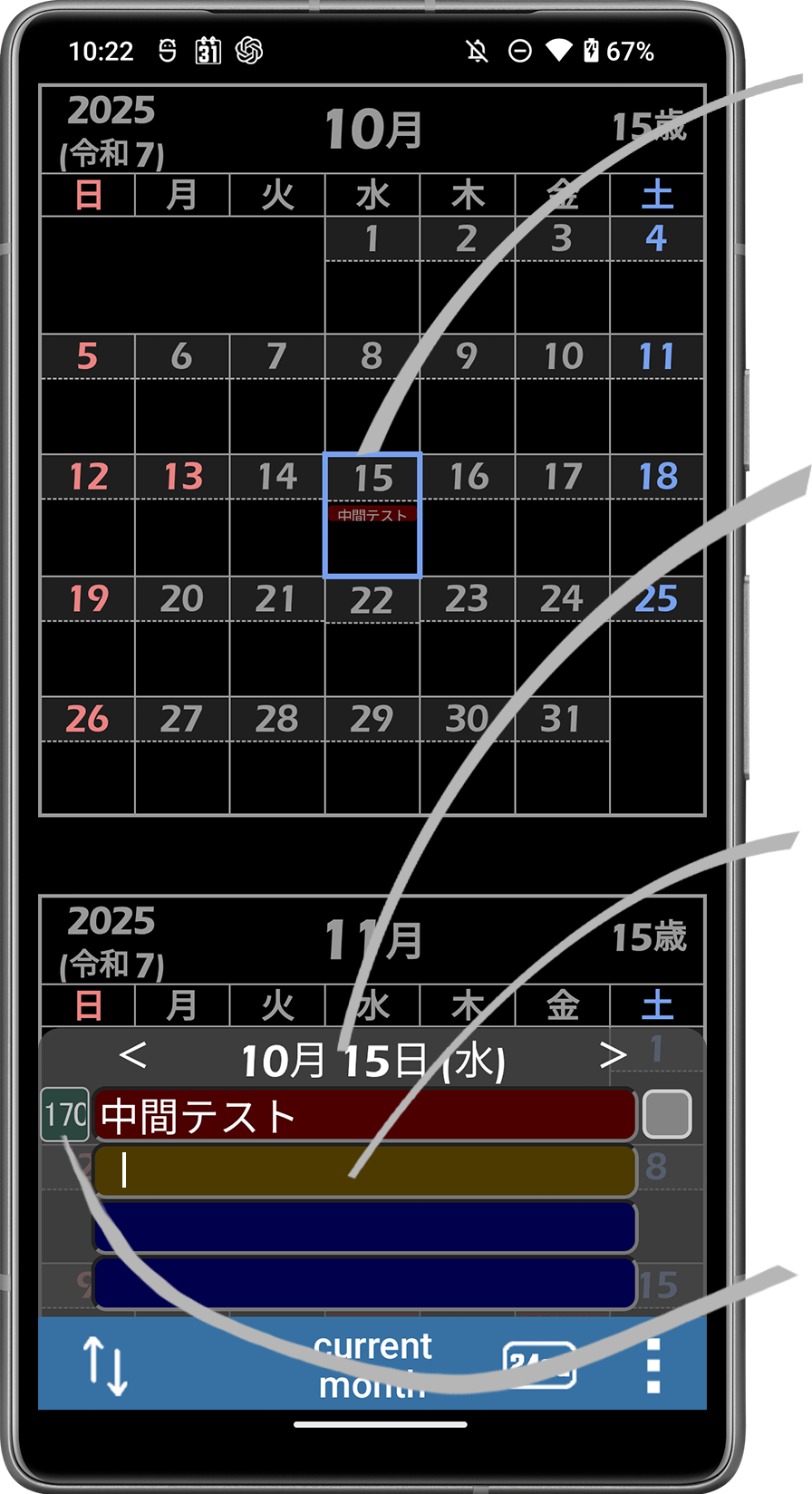 |
① Wタップで日付選択 |
| 選択された日付 | |
| ② Wタップで予定入力開始 | |
| ③ Wタップで通知日入力開始 |
通知日の入力例)
「30」→ 30日前から、毎日1回通知
「30.」→ 30日前に、1回だけ通知
「 」 → 未入力は、通知なし
使用例
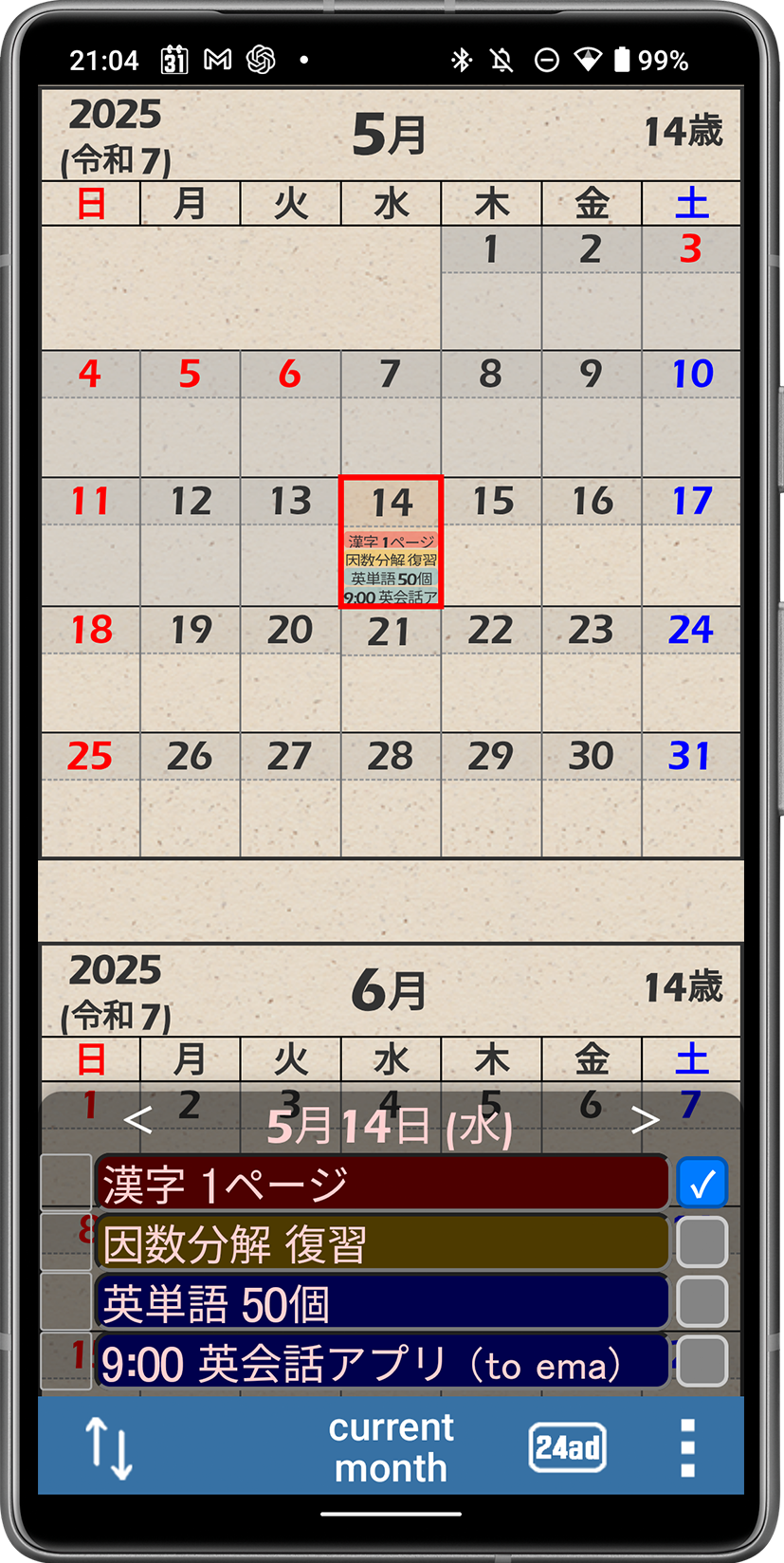 |
→ 「今日、これだけはやるぞ」というものを予定欄に書いたり、 成し遂げたものに「✓」を付けたりする使い方もありですね! |
家族共有
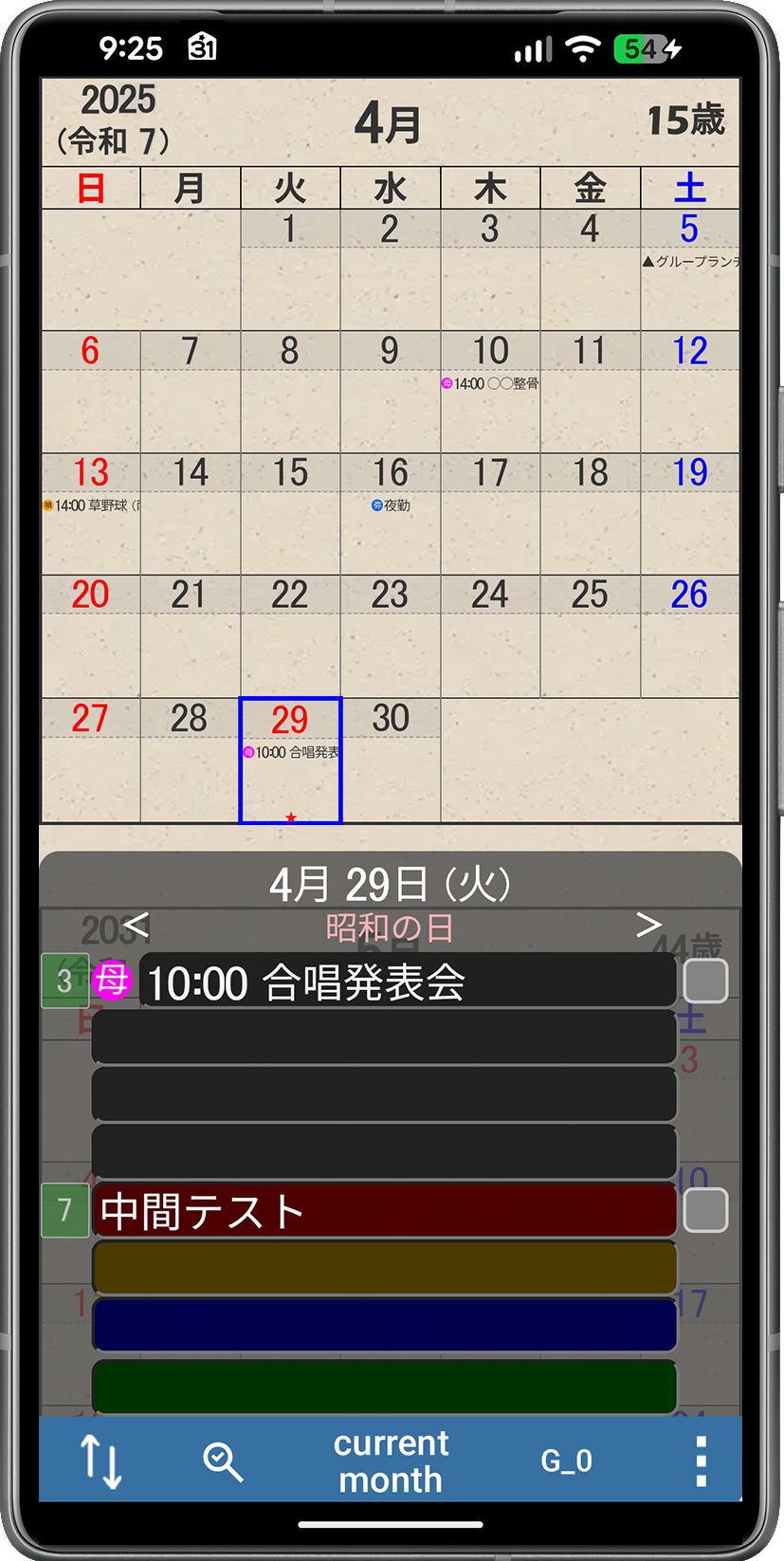 |
→ 家族共有設定をすると、背景色が黒の4行は家族共有になります。 もちろん、設定しなければ、プライベート項目のまま使用できます。 |
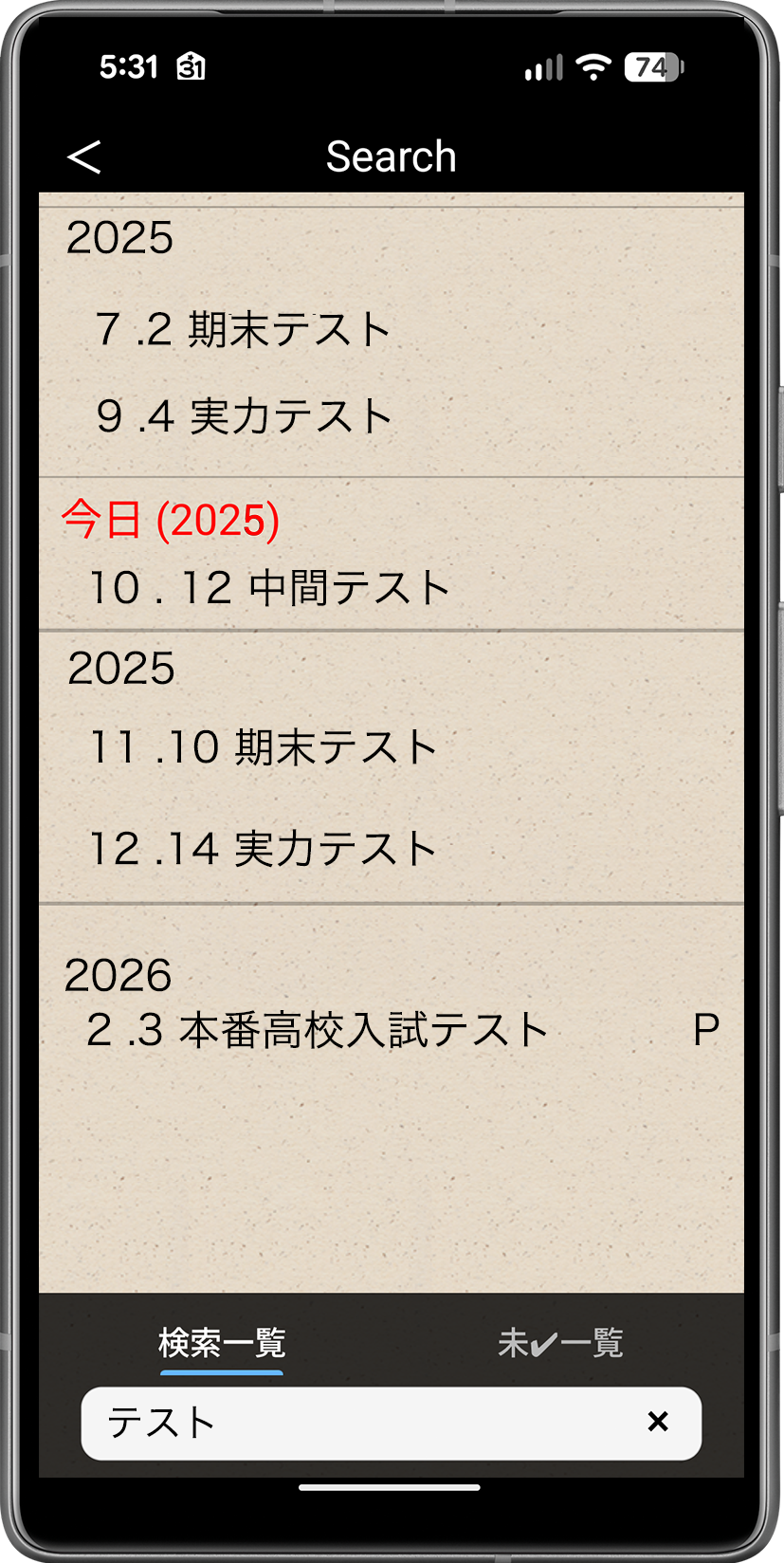 |
→ 簡単に検索できます 項目タップでカレンダージャンプ |
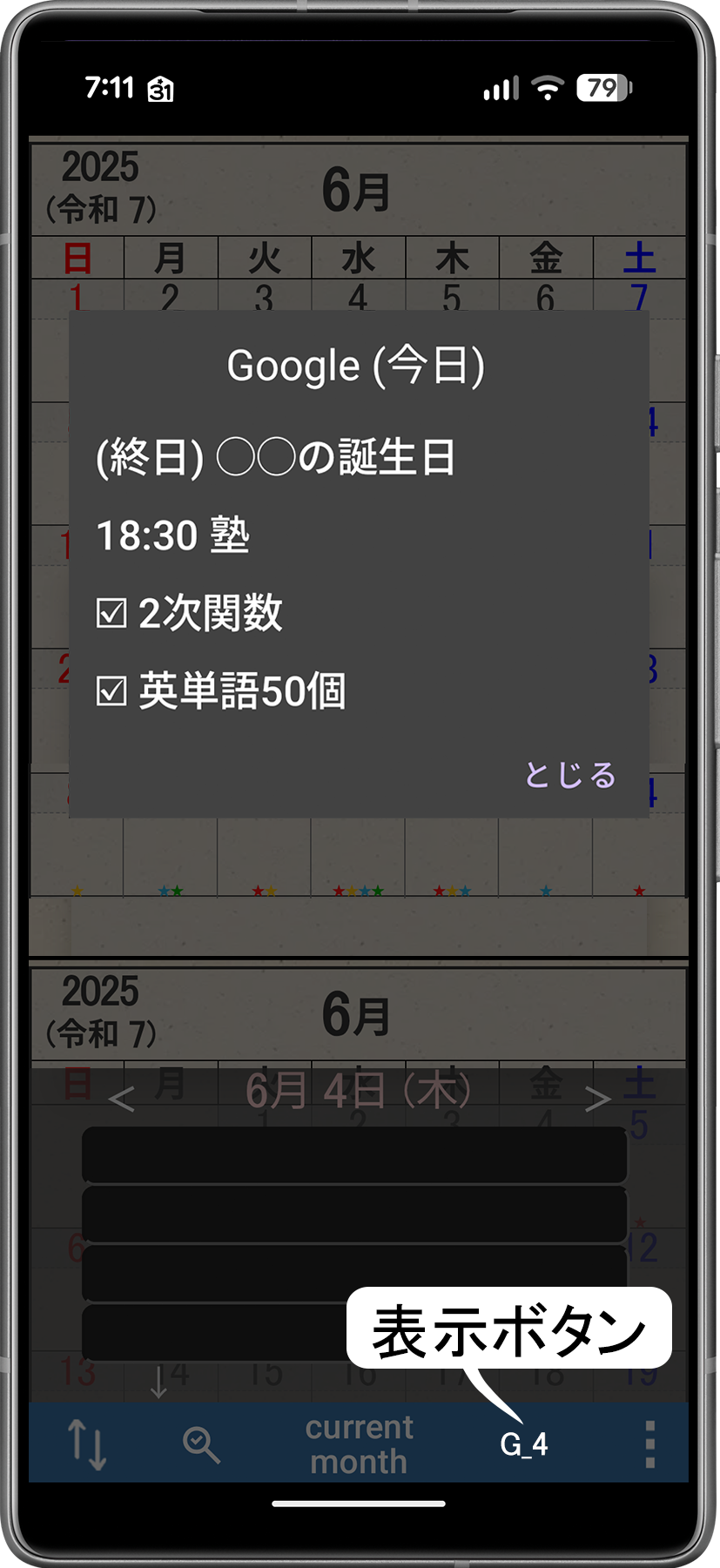 |
→ googleカレンダーの予定やタスクを表示し、当カレンダーに取り込むことができます。 (自動同期はしません) (googleアカウントへの許可が必要です。 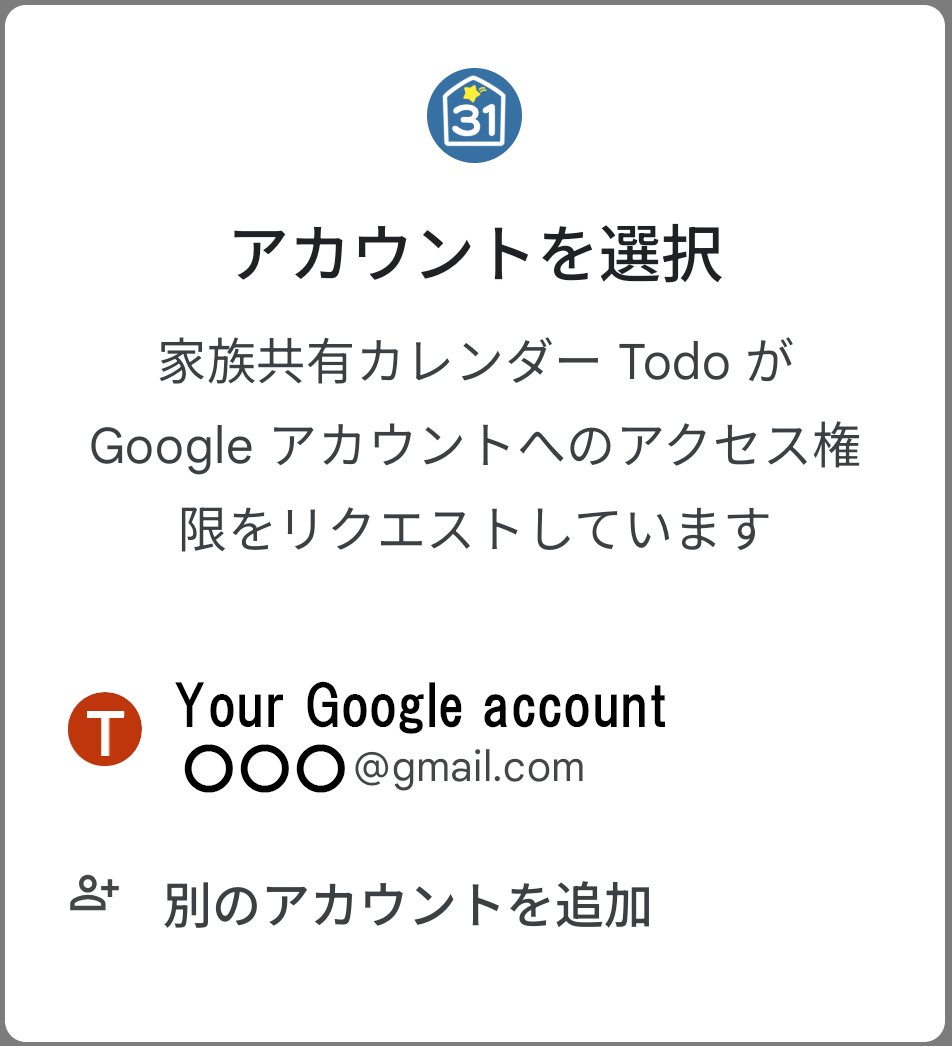 ) ) |
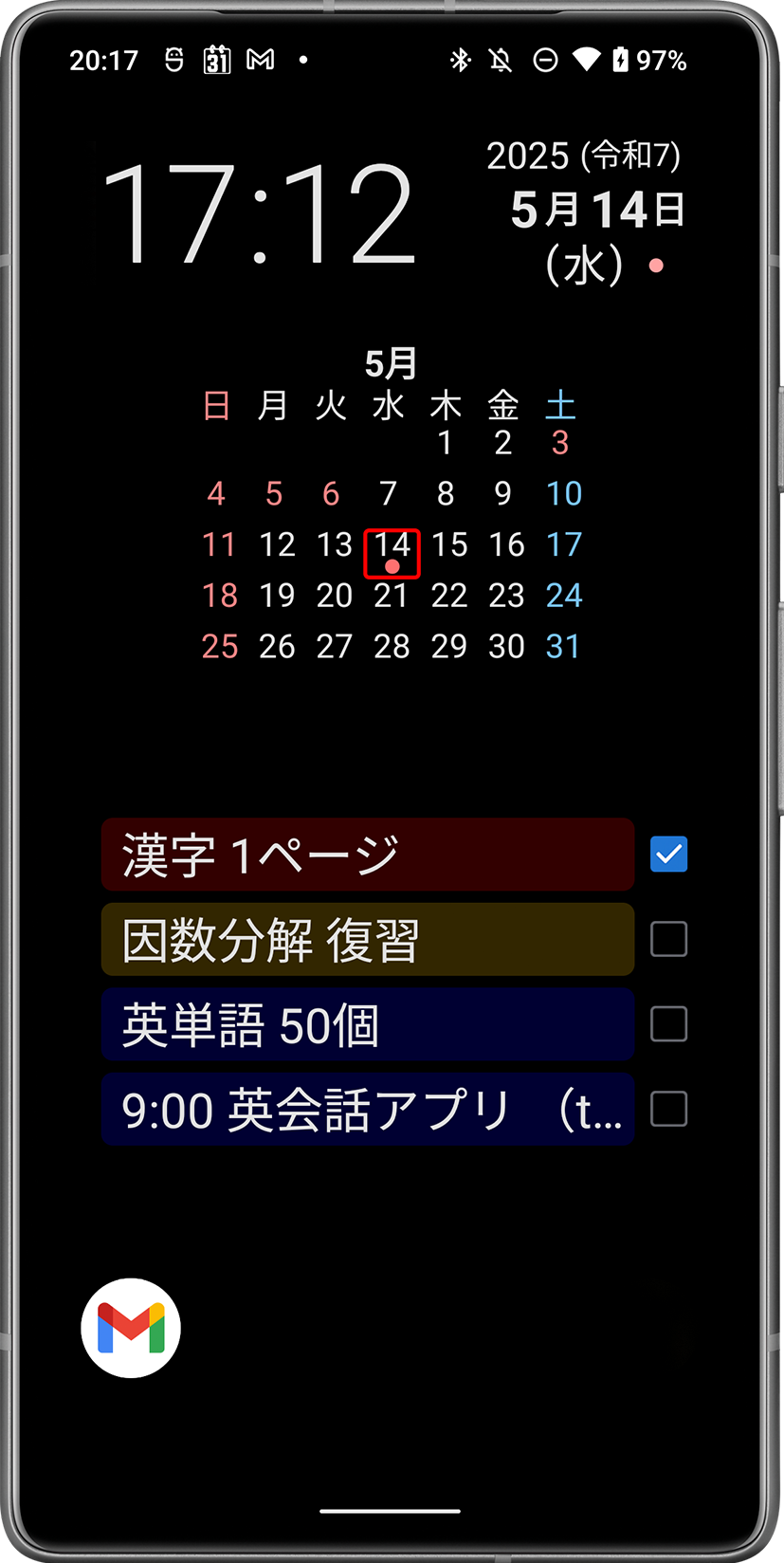 |
→ ウィジェットも多数用意(13種)していますので、アプリを開かずとも、常に今日の予定を意識する使い方もできます。 |
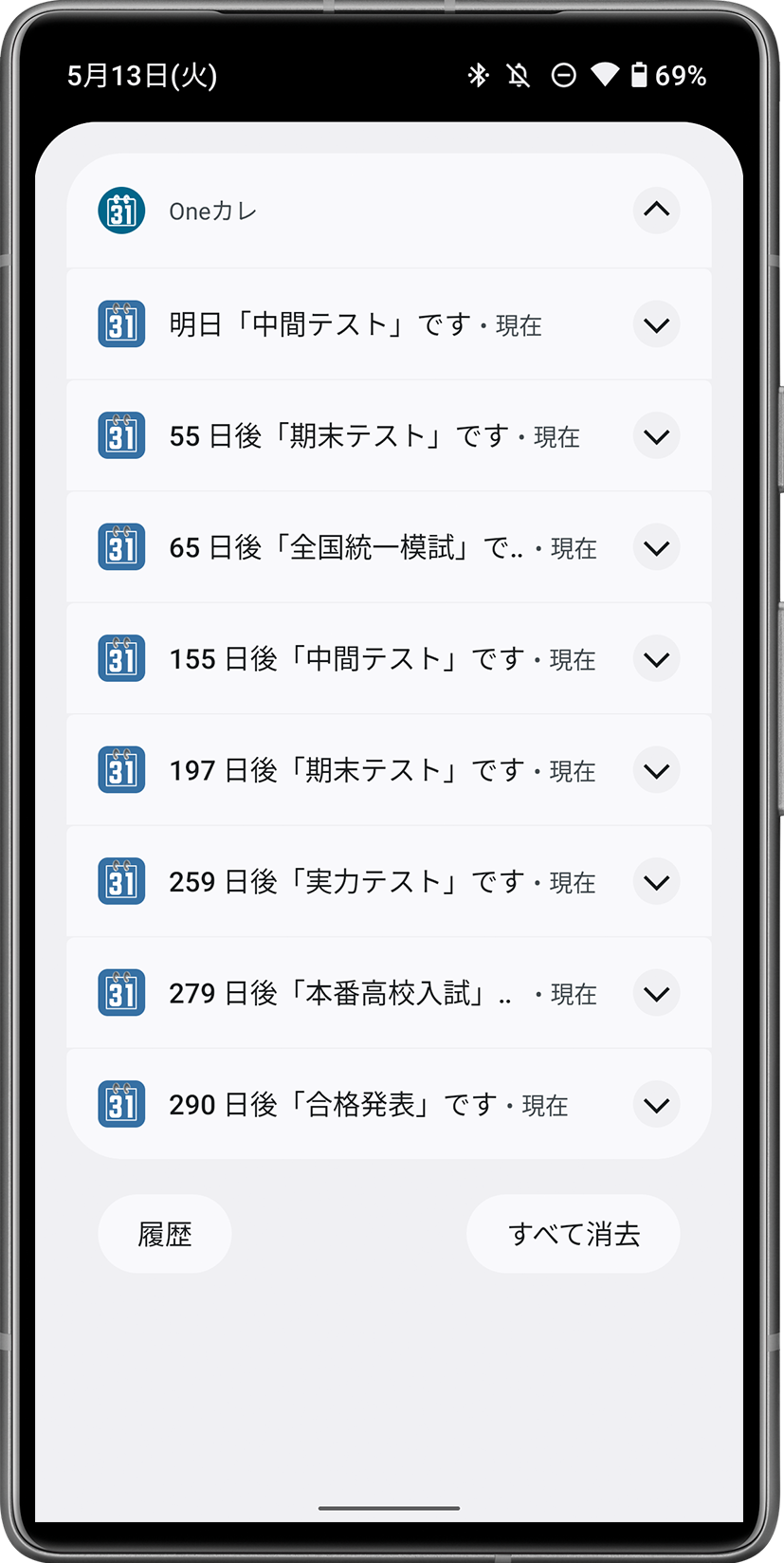 |
→ 通知は直近の順に表示されるので、優先順位が一目瞭然! |
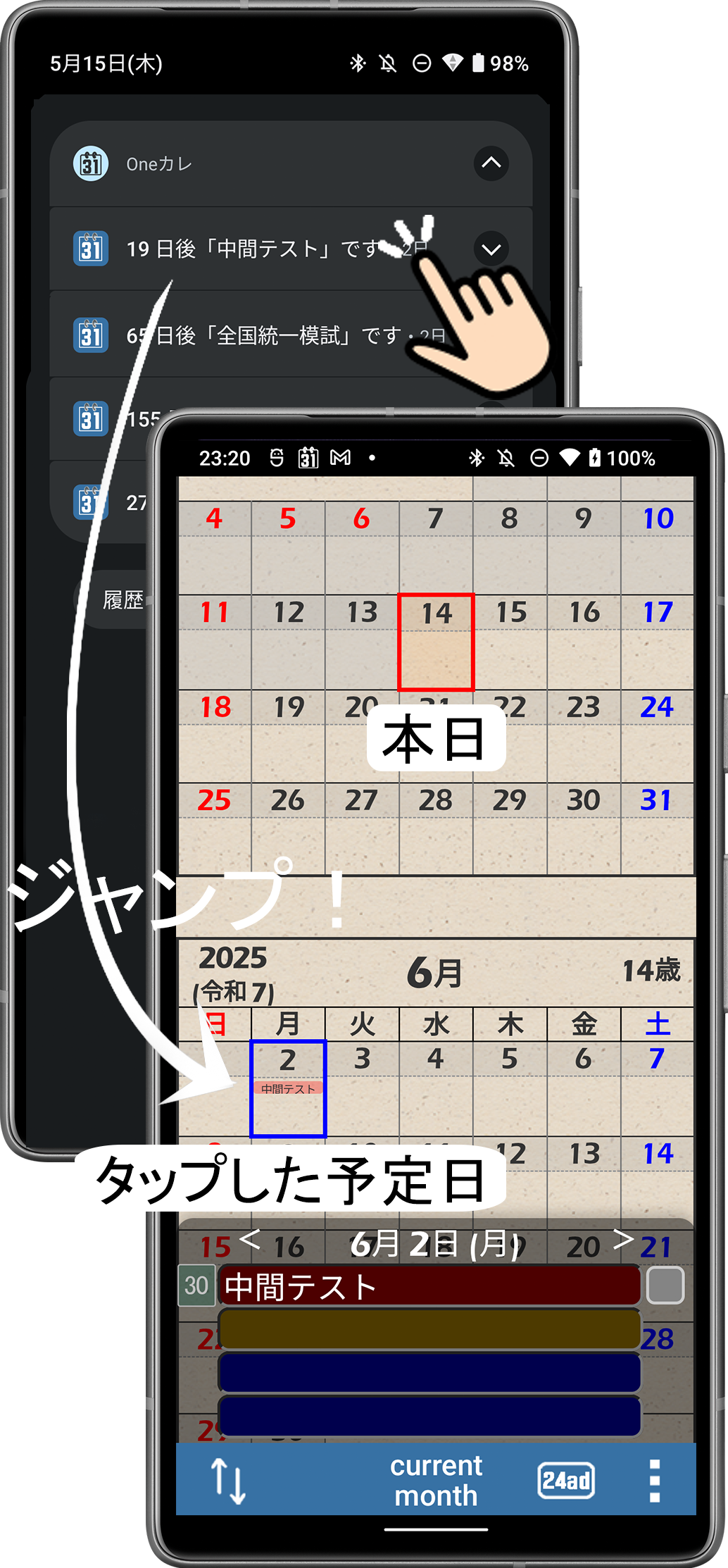 |
→ 通知をタップすると、タップした予定の日付をハイライトしながらアプリを開くので、「今日」と「予定」までの間隔を体感イメージできます! |
This app uses Google Calendar read-only access and Google Tasks read-only access only to display the user's events and tasks and allow selected items to be imported into the app.
The app does not create, edit, delete, or automatically synchronize Google Calendar events or Google Tasks.